

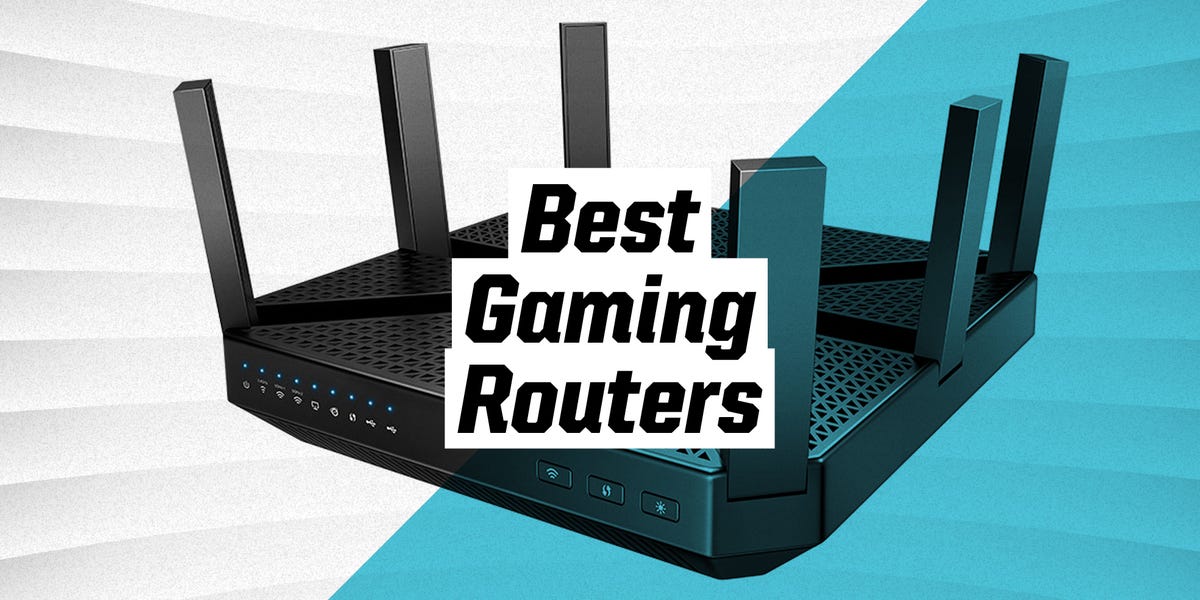
In 2021, gaming routers officially stopped being mysterious black boxes with antennas and started acting like tiny traffic cops for your digital life. A good gaming router could not magically turn a potato internet plan into fiber, nor could it make you aim like a professional esports player after three energy drinks. But it could reduce congestion, prioritize your gaming device, improve wireless stability, and keep the rest of the house from turning your ranked match into a slideshow.
The best Wi-Fi routers for gaming in 2021 were mostly built around Wi-Fi 6, also known as 802.11ax. Compared with older Wi-Fi 5 models, Wi-Fi 6 improved performance in busy homes by using technologies such as OFDMA, MU-MIMO, beamforming, 1024-QAM, and smarter device scheduling. In plain English: it helped routers handle more devices at once without every phone, tablet, smart TV, and console fighting like raccoons over one slice of pizza.
This guide breaks down the best gaming routers of 2021, what made them useful, who they were best for, and how to choose the right one without getting hypnotized by giant antennas, RGB lighting, and speed numbers that look like they came from a spaceship dashboard.
What Made a Great Gaming Router in 2021?
For gaming, raw download speed was only part of the story. A router promising “up to 11,000 Mbps” sounded amazing, but your online match cared more about latency, stability, packet loss, and how well the router handled traffic under pressure. A 300 Mbps connection with low ping and no packet loss could feel better than a 1 Gbps plan choking under congestion.
Low Latency and Smart Traffic Control
Latency is the delay between your device and the game server. When latency spikes, your character teleports, shots miss, or your racing line suddenly looks like modern art. Gaming routers in 2021 focused heavily on QoS, or Quality of Service, which allowed users to prioritize a gaming PC, PlayStation, Xbox, or Nintendo Switch over less urgent traffic like cloud backups or 4K streaming.
Wi-Fi 6 Support
Wi-Fi 6 was the big upgrade in 2021. It offered better efficiency, stronger performance in crowded networks, and improved handling of multiple connected devices. Features such as OFDMA helped divide wireless channels more efficiently, while MU-MIMO allowed the router to communicate with multiple devices at once instead of serving them one by one like a tired cafeteria worker.
Strong Wired Connectivity
Even in a Wi-Fi router guide, Ethernet mattered. Competitive gamers still benefited most from a wired connection. The best gaming routers of 2021 offered multiple Gigabit LAN ports, and some added 2.5 Gbps WAN or LAN ports for multi-gig internet, fast NAS transfers, or high-end gaming setups.
Security and Updates
A gaming router also needed solid security. Built-in malware protection, automatic firmware updates, WPA3 support, guest networks, and parental controls were valuable because a fast network is not very impressive if it also behaves like an unlocked front door.
Best Overall Gaming Router 2021: Asus RT-AX86U
The Asus RT-AX86U was one of the most balanced gaming routers of 2021. It did not look as outrageous as some spider-shaped flagship routers, but that was part of its charm. It delivered strong Wi-Fi 6 performance, excellent configuration options, a 2.5 Gbps port, link aggregation, and Asus AiProtection security without requiring a subscription.
For many gamers, the RT-AX86U hit the sweet spot. It was powerful enough for serious online gaming, flexible enough for busy households, and not as expensive as ultra-premium tri-band monsters. It supported 160 MHz channels, offered strong 5 GHz performance, and included gaming-focused features such as mobile game mode and device prioritization.
The best reason to buy the Asus RT-AX86U in 2021 was simple: it was not just a gaming router. It was also a great everyday router. That mattered because most homes did not use the internet only for gaming. They used it for Zoom calls, Netflix, homework, smart speakers, security cameras, and someone mysteriously downloading a 90 GB update at the worst possible moment.
Best For
The Asus RT-AX86U was best for gamers who wanted excellent performance without paying flagship prices. It was especially good for apartments, medium-size homes, and households where gaming, streaming, and work-from-home traffic all happened at once.
Best Premium Gaming Router 2021: Asus ROG Rapture GT-AX11000
The Asus ROG Rapture GT-AX11000 was the kind of router that did not ask to be noticed; it demanded a small stage and dramatic lighting. With eight antennas, tri-band Wi-Fi 6, a quad-core processor, a 2.5 Gbps port, and deep gaming controls, it was built for people who wanted serious network hardware and did not mind a router that looked like it might launch a drone strike on lag.
Its tri-band design gave users one 2.4 GHz band and two 5 GHz bands. That allowed gamers to dedicate one 5 GHz band to gaming devices while leaving the other band for phones, tablets, and streaming boxes. In a busy home, this separation could help keep gaming traffic cleaner and more predictable.
The GT-AX11000 also stood out for software. Asus packed in gaming acceleration tools, adaptive QoS, VPN features, traffic monitoring, AiMesh compatibility, and strong security features. It was not cheap, but in 2021 it was one of the most complete routers for serious gamers with fast internet plans and multiple high-demand devices.
Best For
The Asus ROG Rapture GT-AX11000 was best for power users, streamers, large households, and gamers who wanted a dedicated gaming band. It was overkill for casual players, but glorious overkill is still overkill with better antennas.
Best Gaming Interface 2021: Netgear Nighthawk Pro Gaming XR1000
The Netgear Nighthawk Pro Gaming XR1000 earned attention in 2021 because of DumaOS 3.0, a gaming-focused interface designed to make network management easier and more useful. Instead of burying important tools under boring menus, the XR1000 offered features such as Geo-Filter, Ping Heatmap, connection benchmarking, bandwidth allocation, and device prioritization.
The XR1000 was a dual-band Wi-Fi 6 router rated as AX5400, powered by a 1.5 GHz triple-core processor. It was not the most extreme hardware package compared with tri-band flagships, but its software gave gamers more control over server distance, ping quality, and network congestion. For players who loved tweaking settings, this router felt like opening the hood of a sports car instead of just pressing the gas pedal and hoping for the best.
Its biggest strength was visibility. Many routers simply tell you that the internet exists. The XR1000 helped you understand what was happening on your network. That made it useful for diagnosing lag, identifying bandwidth hogs, and deciding whether the problem was your router, your ISP, your Wi-Fi signal, or the game server having a bad day.
Best For
The Netgear Nighthawk XR1000 was best for competitive players who wanted detailed gaming tools and a dashboard built around latency. It was especially attractive for users who liked monitoring ping, adjusting traffic rules, and squeezing every possible advantage out of their connection.
Best High-End TP-Link Option: TP-Link Archer AX11000
The TP-Link Archer AX11000 was another heavyweight gaming router in 2021. It offered tri-band Wi-Fi 6, a 1.8 GHz quad-core processor, 1 GB of RAM, a 2.5 Gbps WAN port, eight Gigabit LAN ports, and dual USB 3.0 ports. In other words, it was not shy about hardware.
The eight LAN ports were a major advantage. Many routers forced users to buy a separate switch once they connected a PC, console, smart TV, NAS, and streaming box. The Archer AX11000 gave wired-device-heavy homes more room to breathe. That made it especially useful for gaming rooms, home offices, and entertainment centers.
TP-Link also included gaming-oriented QoS, security features, and a bold design that said, “Yes, I own multiple Ethernet cables and I am not ashamed.” While some reviewers felt its gaming branding was louder than its gaming-specific uniqueness, the hardware itself was undeniably strong.
Best For
The TP-Link Archer AX11000 was best for households with many wired devices, fast internet plans, and users who wanted a powerful tri-band Wi-Fi 6 router with generous ports.
Best Value Tri-Band Gaming Router 2021: TP-Link Archer GX90
The TP-Link Archer GX90 arrived as a more affordable tri-band Wi-Fi 6 gaming router. It featured AX6600 speeds, a dedicated 5 GHz gaming band, a 1.5 GHz quad-core processor, a 2.5 Gbps WAN/LAN port, three Gigabit LAN ports, and USB connectivity. It had gamer styling, but its real appeal was practical: strong performance without the extreme price of flagship models.
The dedicated gaming band was its headline feature. The idea was simple: place your gaming PC or console on the fastest 5 GHz band, then let other devices use the remaining bands. This helped reduce wireless congestion and made the GX90 a smart pick for homes where several people streamed, browsed, and played at the same time.
For 2021 buyers, the Archer GX90 was especially interesting because it offered many premium ideas at a mid-premium price. It was not the most subtle router ever made, unless your living room already had a “red spaceship command center” theme, but it delivered a strong mix of speed, coverage, and usability.
Best For
The TP-Link Archer GX90 was best for gamers who wanted tri-band Wi-Fi 6, a dedicated gaming band, and good value. It was a strong fit for medium to large homes with multiple connected devices.
Best Wi-Fi 5 Gaming Router Still Worth Considering: TP-Link Archer C5400X
By 2021, Wi-Fi 6 was clearly the future, but some Wi-Fi 5 gaming routers still made sense if the price was right. The TP-Link Archer C5400X was one of them. It used tri-band AC5400 Wi-Fi, packed a 1.8 GHz quad-core processor, 1 GB of RAM, eight external antennas, and eight Gigabit LAN ports.
The C5400X was not as future-proof as Wi-Fi 6 models, but it remained powerful for homes filled with Wi-Fi 5 devices. If your gaming PC or console was wired and your wireless devices were mostly older, the lack of Wi-Fi 6 was not necessarily a deal-breaker.
Its biggest advantage was wired flexibility. Eight LAN ports made it easy to connect consoles, desktop PCs, smart TVs, and media devices without adding extra hardware. For users upgrading from a weak ISP router, the Archer C5400X could still feel like replacing a lawn chair with a gaming throne.
Best For
The TP-Link Archer C5400X was best for bargain hunters who found it discounted in 2021 and did not need Wi-Fi 6. It was also useful for gamers who planned to wire their main devices anyway.
How to Choose the Best Gaming Router in 2021
Pick Wi-Fi 6 Unless the Deal Is Excellent
In 2021, Wi-Fi 6 was the smarter long-term choice. Even if not all devices supported it yet, newer phones, laptops, and PCs were moving in that direction. A Wi-Fi 6 router gave buyers better future-proofing and improved efficiency in device-heavy homes.
Prioritize Ethernet for Serious Gaming
Wi-Fi got much better, but Ethernet still won for stability. A wired connection reduced interference, avoided signal drops, and generally delivered more consistent latency. The best setup was simple: wire the main gaming PC or console, then use Wi-Fi 6 for everything else.
Look for QoS That Is Easy to Use
QoS only helps if you actually configure it. Some routers offered simple device prioritization, while others allowed deeper control by application, game, or traffic type. Casual users benefited from one-click gaming modes. Advanced users appreciated routers like the XR1000, where they could fine-tune everything down to server behavior and bandwidth distribution.
Consider Your Home Size
A powerful router in the wrong location can still perform badly. For a small apartment, the Asus RT-AX86U or Netgear XR1000 could be more than enough. For a larger home, tri-band routers such as the Asus GT-AX11000, TP-Link Archer AX11000, or TP-Link Archer GX90 made more sense. In homes with stubborn dead zones, a mesh system or AiMesh-compatible Asus setup could be better than one giant router screaming from the corner.
Do Not Worship Speed Ratings
Router labels such as AX11000, AX6600, and AX5400 represent combined theoretical speeds across bands. You will not get those numbers on one device. They are useful for comparing classes of routers, but real-world performance depends on distance, interference, client hardware, firmware, internet speed, and whether the router is trapped behind a TV like a forgotten sandwich.
Quick 2021 Buying Recommendations
Choose the Asus RT-AX86U if you want the best balance of price, speed, gaming features, and everyday reliability.
Choose the Asus ROG Rapture GT-AX11000 if you want a premium tri-band gaming router with advanced features, strong Wi-Fi 6 performance, and a dedicated gaming-friendly setup.
Choose the Netgear Nighthawk XR1000 if software tools matter most and you want deeper control over ping, servers, and gaming traffic.
Choose the TP-Link Archer AX11000 if you need lots of Ethernet ports, strong hardware, and a powerful tri-band Wi-Fi 6 platform.
Choose the TP-Link Archer GX90 if you want tri-band Wi-Fi 6 gaming features at a more approachable price.
Choose the TP-Link Archer C5400X only if you find a good deal and do not need Wi-Fi 6 support.
Setup Tips for Better Gaming Performance
Buying a gaming router is only half the battle. Setting it up correctly matters just as much. Place the router in a central, elevated location away from thick walls, metal objects, aquariums, microwaves, and cabinets. A router hidden in a closet may look tidy, but your Wi-Fi signal will treat that closet like a tiny prison.
Use Ethernet for your most important gaming device whenever possible. If you must use Wi-Fi, connect to the 5 GHz band for lower latency and higher throughput at shorter distances. Use the 2.4 GHz band for smart home devices, older gadgets, or long-range low-speed connections.
Update the router firmware after setup. Firmware updates can improve stability, patch security issues, and fix performance bugs. Then enable WPA2 or WPA3 encryption, set a strong admin password, and create a guest network for visitors. Your cousin’s suspicious tablet should not have the same network privileges as your gaming PC.
Finally, test your connection before blaming the router. Run speed tests near the router and from your gaming room. Check ping in your favorite games. Pause cloud backups, large downloads, and 4K streams to see if latency improves. Gaming routers are powerful, but even the best one cannot defeat a bad ISP route, overloaded game server, or someone uploading vacation videos during overtime.
Extra Experience Section: What It Was Like Using Gaming Routers in 2021
Using a gaming router in 2021 felt like moving from a noisy shared apartment into a house where every room finally had a door. Before the upgrade, many gamers relied on basic ISP routers that worked fine for browsing but struggled once the whole household came online. A typical evening looked like this: one person streamed a movie, another joined a video call, someone’s phone backed up photos, a console downloaded a massive update, and suddenly your online match felt like it was being played through wet cardboard.
The biggest real-world improvement was not always higher speed. It was consistency. A strong gaming router made the network feel calmer. Ping spikes happened less often. Downloads no longer destroyed every match. A gaming PC connected by Ethernet stayed steady even when the Wi-Fi side of the house was busy. That was the real magic: not turning the internet into lightning, but keeping it from tripping over its own shoelaces.
QoS made a noticeable difference when configured properly. On routers like the Asus RT-AX86U or Netgear XR1000, prioritizing a gaming device could help protect gameplay from background traffic. The XR1000 was especially interesting because its dashboard made network behavior visible. You could see what was using bandwidth, test connection quality, and adjust settings with more confidence. For gamers who liked control, it felt less like guessing and more like tuning a machine.
Tri-band routers also changed the experience in crowded homes. With a router such as the Asus GT-AX11000 or TP-Link Archer GX90, placing gaming devices on a dedicated 5 GHz band helped separate important traffic from general household noise. This did not guarantee victory, but it reduced the “why is my ping exploding?” mystery. In households with multiple gamers, streamers, and smart devices, that separation was genuinely useful.
That said, gaming routers were not miracle machines. If your internet plan had high latency, your ISP routing was poor, or the game server was overloaded, even the fanciest router could only do so much. Some users bought expensive routers expecting lower ping everywhere, then discovered their main issue was distance from the server or a congested neighborhood connection. The best results came when the router solved a local network problem: weak Wi-Fi, too many devices, poor prioritization, or limited wired ports.
The most satisfying 2021 setup was usually practical rather than flashy. A Wi-Fi 6 router in a central location, Ethernet to the main gaming system, smart QoS enabled, firmware updated, and separate bands for different device types made a bigger difference than RGB lighting or aggressive antenna poses. The router could look like a cybernetic crab if it wanted, but performance came from placement, settings, and sensible network design.
For many gamers, the best lesson of 2021 was this: buy the router that matches your home, not the one with the loudest box. A small apartment did not need a giant AX11000 beast. A large family home probably needed tri-band or mesh support. A competitive player might value DumaOS tools more than raw throughput. A casual console gamer might be happiest with the Asus RT-AX86U and a simple Ethernet cable. In other words, the best gaming router was not always the most expensive one. It was the one that made your network boringin the best possible way. Because when your network is boring, your game can finally be exciting.
Conclusion
The best Wi-Fi routers for gaming in 2021 were defined by Wi-Fi 6, better traffic management, stronger wired options, and smarter software. The Asus RT-AX86U stood out as the best overall choice for most gamers because it balanced performance, price, and features so well. The Asus ROG Rapture GT-AX11000 delivered premium power for serious setups. The Netgear Nighthawk XR1000 offered one of the best gaming dashboards. TP-Link’s Archer AX11000 and GX90 gave gamers strong tri-band alternatives, while the older Archer C5400X remained useful for discounted Wi-Fi 5 setups.
Ultimately, a gaming router should do one thing above all: make your connection stable enough that your skill, strategy, and questionable decision to rush the enemy base are the only things deciding the match.