

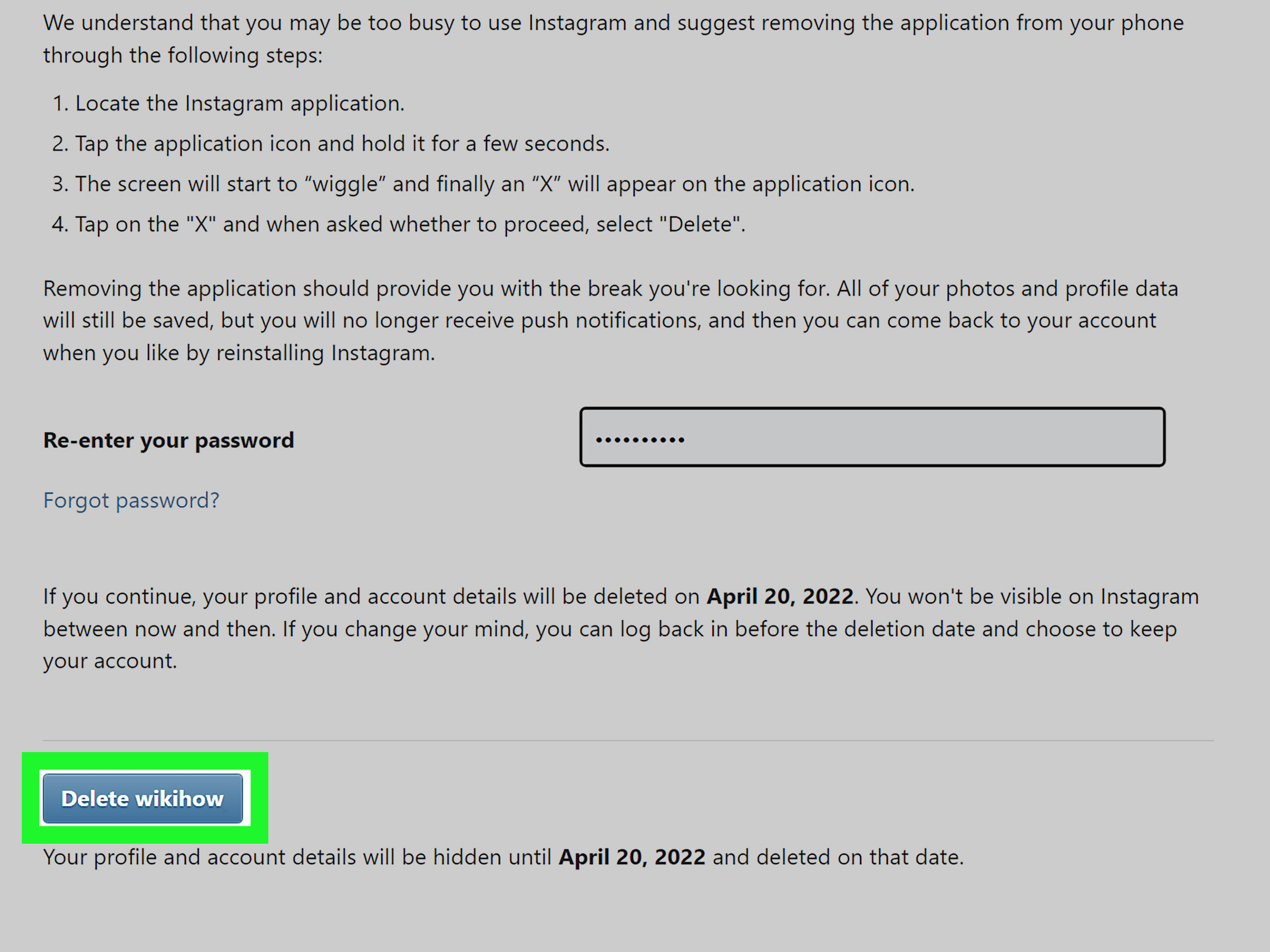
So, you want to delete an Instagram account, but there is one tiny, extremely annoying problem: you do not have the password. Maybe it is an old account from high school, a forgotten business profile, a hacked account, or a second profile that has been sitting online like a dusty digital attic. Whatever the reason, the big question is simple: can you delete an Instagram account without the password?
The honest answer is: not directly. Instagram does not let anyone permanently delete an account without proving ownership first. That may sound inconvenient, but it is also what keeps random strangers, angry exes, bored cousins, and internet goblins from deleting accounts that do not belong to them. In other words, the password requirement is not there to ruin your afternoon. It is there to protect the account.
However, that does not mean you are stuck. If the Instagram account is truly yours, there are several legitimate ways to regain access, reset the password, secure the account, and then delete it properly. This guide explains how to delete an Instagram account without the password by using official recovery methods, what to do if your account was hacked, how to handle an old account you cannot access, and what alternatives exist when deletion is not immediately possible.
Can You Delete an Instagram Account Without the Password?
No, you cannot permanently delete an Instagram account without verifying that you own it. In most cases, Instagram will ask you to log in, confirm your identity, and enter the account password before allowing permanent deletion. This applies whether you are deleting the account from the Instagram app, a mobile browser, or Accounts Center.
Think of it like trying to cancel a bank card. The bank will not simply say, “Sure, random person on the internet, let us erase this account because you asked nicely.” Instagram works the same way. Before it removes photos, messages, followers, comments, and profile data, it needs to know the request is coming from the rightful owner.
The Safe Way to Think About It
The real process is not “delete Instagram without password.” The real process is:
- Recover access to the Instagram account.
- Reset or create a new password.
- Download any important data if needed.
- Go to Accounts Center.
- Request permanent deletion.
That is the legal, safe, and realistic route. Any website, app, or “Instagram deletion service” claiming it can delete an account without login access should be treated with suspicion. Best case, it is useless. Worst case, it steals your personal information and leaves you with a fresh headache, which is not exactly the spa day you had in mind.
Step 1: Try Instagram Password Recovery First
If you forgot your Instagram password, start with the official password recovery option. On the login screen, choose Forgot password? or Get help logging in. Instagram may ask for your username, email address, or phone number. If the account is still connected to one of those recovery methods, Instagram can send a login link or reset code.
This is usually the fastest path. Many people believe they have “lost” an account when they have only forgotten which email or phone number they used. Try old email addresses, previous phone numbers, and usernames you commonly used. Yes, even that embarrassing username from 2014. We are not judging. The internet remembers enough already.
Tips for Successful Password Recovery
- Search your inbox for old emails from Instagram.
- Check spam, junk, promotions, and archived folders.
- Try every email address you may have used to create the account.
- Use the exact Instagram username if you remember it.
- Make sure your phone can receive SMS verification codes.
- Try recovery from a device you used before to log in.
If you receive the reset link, create a new strong password. After that, log in and continue to the deletion process. Do not use something like “password123” unless you want hackers to send you a thank-you card.
Step 2: Recover a Hacked Instagram Account
If your Instagram account was hacked and the password, email, or phone number was changed, you may need to use Instagram’s hacked-account recovery flow. Instagram provides tools to help users regain access when someone else has taken control of an account.
Common signs of a hacked Instagram account include strange posts, messages you did not send, a changed profile picture, unfamiliar login alerts, or an email from Instagram saying your account information was updated. If you see any of these signs, act quickly.
What to Do If Your Account Was Hacked
- Go to the Instagram login screen.
- Choose the option for forgotten password or login help.
- Follow the prompts for account recovery.
- If available, choose the hacked-account option.
- Verify your identity through email, phone, selfie video, or other requested steps.
- Once recovered, change the password immediately.
- Remove unfamiliar devices, emails, phone numbers, and linked accounts.
- Turn on two-factor authentication.
After you regain control, you can decide whether to keep the account, deactivate it temporarily, or delete it permanently. If your goal is deletion, do not skip the security cleanup. Otherwise, a hacker could still have access long enough to cause more trouble.
Step 3: Delete the Instagram Account After You Regain Access
Once you can log in again, you can request account deletion through Instagram’s Accounts Center. The exact wording may shift slightly as Instagram updates its interface, but the core path is usually similar.
How to Delete Instagram Through Accounts Center
- Open Instagram and go to your profile.
- Tap the menu icon.
- Go to Settings and privacy.
- Open Accounts Center.
- Select Personal details.
- Choose Account ownership and control.
- Select Deactivation or deletion.
- Choose the Instagram account you want to remove.
- Select Delete account.
- Follow the prompts and confirm your choice.
Instagram generally gives you a cancellation window after you request deletion. If you log back in during that period, you may cancel the deletion request. If you truly want the account gone, stay logged out after submitting the request. Delete the app from your phone for a while if your thumb has a habit of opening Instagram before your brain clocks in for work.
Should You Download Your Instagram Data First?
Before deleting your Instagram account, consider downloading your information. This can include photos, videos, comments, profile details, and other account data. If the account contains business records, old memories, creative work, or messages you may need later, export the data before deletion.
To request your information, go through Instagram settings or Accounts Center and look for the option to download or export your information. You may be able to choose a complete copy or select specific types of data. Instagram may prepare the file and send access instructions to your email.
When Downloading Data Is a Smart Move
- You posted original photos, reels, or videos.
- You used Instagram for business or client communication.
- You want a record of messages or comments.
- You may need proof of harassment or hacking.
- You are deleting an account connected to a brand or personal project.
Deleting first and thinking later is a classic internet mistake. It belongs in the same museum as “I clicked the suspicious link” and “I updated my phone without backing it up.” Save what matters before you pull the plug.
What If You No Longer Have Access to the Email or Phone Number?
This is one of the trickiest situations. If you no longer have the password, email, or phone number, Instagram may still offer identity verification options, but success depends on what information is connected to the account and whether you can prove ownership.
Try recovering the old email account first. Many email providers offer account recovery using backup addresses, phone numbers, security questions, or previous passwords. If you regain access to the email address, you may be able to reset the Instagram password from there.
Possible Recovery Paths
- Recover the old email account linked to Instagram.
- Reactivate or recover the old phone number if possible.
- Use a previously trusted device to request login help.
- Use Instagram’s identity verification process.
- Check whether the account is linked to Facebook or Accounts Center.
If the account is connected to Facebook or another Meta account you can access, Accounts Center may help you manage login or ownership settings. Be careful, though. Removing accounts from Accounts Center is different from deleting an Instagram account. Removing a connection does not erase the Instagram profile.
Can You Report an Old Instagram Account to Get It Deleted?
You can report an Instagram account if it violates Instagram’s rules, impersonates you, uses your personal information, harasses someone, or posts harmful content. However, reporting an account is not the same as deleting your own account. Instagram reviews reports and decides whether the account breaks its policies.
If the old account is simply embarrassing, inactive, or full of ancient selfies with questionable filters, Instagram may not remove it just because you report it. The platform generally requires a policy violation or proof that the account is pretending to be someone else.
When Reporting May Help
- The account is impersonating you.
- Someone hacked the account and is scamming people.
- The account shares private images or personal information.
- The profile violates Instagram’s community guidelines.
- The account belongs to a deceased person and you are an authorized representative.
If you report an account, provide clear information. Screenshots, profile links, matching names, and proof of identity may help in certain cases. Avoid repeatedly reporting an account without a valid reason. That rarely speeds things up and may only make the process more frustrating.
Deactivate vs. Delete: What Is the Difference?
If you regain access but are not fully sure about leaving Instagram forever, you can deactivate the account instead of deleting it. Deactivation is temporary. Your profile, photos, comments, and likes are hidden until you log back in. Deletion is permanent after the cancellation period ends.
| Option | Best For | Can You Come Back? |
|---|---|---|
| Deactivate account | Taking a break, hiding your profile, reducing screen time | Yes, by logging back in |
| Delete account | Permanent removal, privacy cleanup, ending account use | Only during the cancellation window |
Choose deletion only if you are confident. Once the deletion process is complete, you may not be able to recover the account, username, followers, photos, or messages. Instagram nostalgia hits differently when you realize your old vacation pictures are gone forever.
What Happens After You Delete an Instagram Account?
After you request permanent deletion, the account is not necessarily erased instantly. Instagram typically gives users a period during which they can cancel the deletion by logging back in. After that window ends, the account and its information are scheduled for permanent removal. Some data may take additional time to disappear from backup systems or internal storage used for safety, legal, or technical reasons.
Your profile will eventually stop appearing to other users. Your posts, reels, comments, likes, and followers will be removed from the account. Direct messages you sent may still remain visible in other people’s inboxes, because those conversations also belong to the recipients. In other words, deleting your account removes your profile, but it does not magically erase every trace of every conversation from everyone else’s phone.
Common Problems When Trying to Delete Instagram Without a Password
Problem 1: The Reset Email Never Arrives
Check spam and junk folders first. Then confirm that you entered the correct username, phone number, or email address. If you used a different email when creating the account, the reset link may be going there instead.
Problem 2: The Account Was Hacked
Use Instagram’s hacked-account recovery process. Once you regain access, change the password, review login activity, remove suspicious contact information, and enable two-factor authentication before deleting or keeping the account.
Problem 3: You Cannot Access the Old Email
Try recovering the email account through the email provider. If that fails, use Instagram’s account recovery options and provide identity verification when requested.
Problem 4: You Only Want the Account Removed From Your Phone
Removing an account from your device is not the same as deleting it. If you only remove login information, the Instagram profile still exists online. This is useful for cleaning up the app, but it does not permanently erase the account.
Problem 5: The Account Is Impersonating You
Use Instagram’s reporting tools for impersonation. You may need to provide identification or additional proof. This route is for fake or harmful accounts, not for bypassing the password on an account that belongs to someone else.
Important Safety Warning: Avoid “Delete Instagram Without Password” Tools
Many websites promise shortcuts. They may claim they can delete old Instagram accounts, recover passwords instantly, bypass verification, or remove profiles for a fee. Be careful. These services often violate platform rules, collect personal information, or simply take your money and vanish faster than a story after 24 hours.
Never share your Instagram password, email password, government ID, verification codes, or two-factor authentication codes with random third-party services. If you need help, use Instagram’s official tools only. If the account is tied to a business, consider documenting everything before taking action, especially if multiple people had access to the profile.
Best Practices Before You Delete the Account
- Download your Instagram data.
- Save important photos and videos separately.
- Tell close contacts how to reach you elsewhere.
- Remove connected third-party apps.
- Check linked Facebook, Threads, or Meta accounts.
- Turn off active ads or business tools if applicable.
- Stay logged out after requesting deletion.
For business accounts, take extra care. Make sure you are not deleting the only account connected to a brand page, ad account, shop, or customer communication channel. Digital cleanup is great. Accidentally deleting your main sales funnel is less great. That is the kind of “oops” that deserves its own sad violin soundtrack.
Real-Life Experiences: What It Feels Like to Delete Instagram Without Knowing the Password
One of the most common experiences people have with this topic begins with confidence and ends with fifteen browser tabs open. You remember the username. You remember the profile picture. You even remember the exact year you posted that dramatic black-and-white coffee photo. But the password? Gone. The email? Maybe old Gmail, maybe Yahoo, maybe something created during a phase when adding extra vowels to usernames felt artistic.
The first lesson is patience. Recovering access to an old Instagram account often feels less like pressing a button and more like digital archaeology. You dig through inboxes, search old phones, check saved passwords in browsers, and ask yourself why you ever thought “summergirl_98_backup_final2” was a professional username. Still, these small clues matter. A saved login in Chrome, Safari, iCloud Keychain, or Google Password Manager can be the difference between success and starting over.
Another common experience is discovering that the account is linked to a phone number you no longer use. This can be frustrating, especially if Instagram keeps sending codes into the void. In that situation, people often have better luck trying email recovery, using a familiar device, or checking whether the account was connected to Facebook. The more signals you can provide that you are the original owner, the better your chances of passing recovery.
For hacked accounts, the emotional experience is different. It is not just annoying; it can feel personal. Someone may be messaging your friends, posting scams, or changing your profile. The key is to move quickly but calmly. Use official hacked-account recovery, secure your email, change passwords on connected accounts, and do not negotiate with whoever took the profile. Hackers are not customer service representatives. They are not going to provide a satisfaction survey.
Some users discover that they do not actually need deletion. They only want an old account removed from the login screen, hidden from public view, or disconnected from other accounts. In those cases, removing saved login information, making the profile private, changing the username, deleting old posts, or temporarily deactivating the account may solve the problem without permanent deletion.
For people who do go through with deleting Instagram, the biggest surprise is usually the waiting period. Many expect the profile to disappear instantly forever. Instead, deletion works more like a scheduled exit. You request it, Instagram gives you time to change your mind, and you must resist logging in. That last part is harder than expected. Muscle memory is real. Your thumb may open Instagram before your brain remembers, “Wait, we are being mysterious and offline now.”
The best experience comes from preparing first. Download your data, save important media, tell people where else to contact you, and make sure you are deleting the correct account. If you manage multiple Instagram profiles, double-check the username before confirming. Nothing ruins a clean digital breakup like deleting the business account instead of the abandoned meme account.
Ultimately, the process teaches a simple lesson: account ownership matters. You cannot delete an Instagram account without the password because Instagram needs to protect users from unauthorized deletion. But if the account belongs to you, the official recovery tools give you a path forward. It may not be instant, glamorous, or fun, but it is safer than trusting shady shortcut tools. And once the account is gone, you may feel a strange little burst of freedomlike cleaning out a closet, except the closet had hashtags.
Conclusion
Deleting an Instagram account without the password is not possible in the direct, one-click way many people hope for. Instagram requires ownership verification before permanent deletion, and that is a good thing. The right approach is to recover the account first, reset the password, secure the profile, download important data, and then request deletion through Accounts Center.
If the account was hacked, use Instagram’s official recovery process. If it is impersonating you or violating rules, report it. If you simply need a break, consider deactivation instead of deletion. The main rule is simple: do not use shady third-party tools, do not try to bypass verification, and do not attempt to delete accounts you do not own.
With patience and the correct steps, you can take control of an old, hacked, or forgotten Instagram account and remove it safely. Your digital life should belong to younot to forgotten passwords, suspicious login links, or that one profile from 2012 that still thinks sepia filters are a personality.