

The internet is a magical place: you can learn how to fix a leaky faucet, compare 17 kinds of air fryers,
and read breaking news before your coffee finishes brewing. The only downside? Online info travels fastand
sometimes forgets to bring its ID.
That’s where citations come in. Citing an online article is how you prove you didn’t pull your facts from
the mysterious “Trust Me, Bro” Institute. Whether you’re writing a research paper, a blog post, a newsletter,
or a corporate report that needs to sound like it was created by actual adults, proper citation helps you:
stay credible, avoid plagiarism, and give readers a breadcrumb trail back to your source.
Before You Cite: Grab These Details (Your Future Self Will Thank You)
Every citation style wants roughly the same ingredientsit’s the formatting that changes. Before you start,
collect what you can from the article page:
- Author (person or organization)
- Publication date (or “last updated” date)
- Article title (the specific page/post/article)
- Website or publisher name (the larger site it lives on)
- URL (prefer a clean, stable link)
- DOI (for many academic articlesthink of it as a “forever link”)
- Access date (the day you viewed ituseful when pages change)
One quick reality check: online content is slippery. Headlines get tweaked, pages move, and some sites update
articles quietly. If your source is likely to change (like a living webpage), an access date can be a lifesaver.
Way #1: Cite an Online Article in APA (7th Edition)
APA (American Psychological Association) style is common in psychology, education, business, nursing, and other
social sciences. APA cares a lot about dates because research is basically a “when did you find this?” sport.
APA Reference List Format (Webpage or Online Article)
Template:
- Author, A. A. (Year, Month Day). Title of the article in sentence case. Website Name. URL
APA usually uses sentence case for article titles (capitalize the first word and proper nouns).
If the author is an organization, use the organization name as the author. And if you have a DOI,
use it (often in URL form), since it’s typically more stable than a regular link.
APA In-Text Citation
APA in-text citations are typically (Author, Year). If you quote directly, add a paragraph number
for web content when page numbers aren’t available.
- Paraphrase: (Nguyen, 2025)
- Quote: (Nguyen, 2025, para. 4)
APA Example (Online News Article)
Let’s say you found a news article titled “Cities Redesign Streets for Heat Safety,” written by Jordan Lee on
July 8, 2025, on the website Daily Metro.
-
Reference list: Lee, J. (2025, July 8). Cities redesign streets for heat safety.
Daily Metro. https://example.com/heat-safe-streets - In-text: (Lee, 2025)
APA Tricky Cases (No Author, No Date)
Missing info happens. When it does, APA has workarounds:
- No author: Start with the title. In-text citation uses a shortened title in quotation marks: (“Cities Redesign Streets,” 2025).
- No date: Use (n.d.) for “no date.” Example: (Smith, n.d.).
- Content that changes over time: You may include a retrieval date in special cases (think: dashboards, wikis, pages that update constantly).
Way #2: Cite an Online Article in MLA (9th Edition)
MLA (Modern Language Association) style is popular in English, literature, languages, and many humanities fields.
MLA loves titles, containers, and helping readers find exactly what you usedeven if the internet tries to move it
three minutes later.
MLA Works Cited Format (Online Article)
Template:
- Author Last Name, First Name. “Title of the Article.” Website Name, Publisher (if different), Day Month Year, URL. Accessed Day Month Year.
In MLA, the website name is typically italicized. The access date is often optional, but it’s encouraged when the
page doesn’t have a clear publication date or when the content may change.
MLA In-Text Citation
MLA usually uses (Author Last Name). For web pages without page numbers, you don’t invent them.
You simply cite the author (or a shortened title if there’s no author).
- With author: (Lee)
- No author: (“Cities Redesign Streets”)
MLA Example
-
Works Cited: Lee, Jordan. “Cities Redesign Streets for Heat Safety.” Daily Metro,
8 July 2025, https://example.com/heat-safe-streets. Accessed 1 Jan. 2026. - In-text: (Lee)
MLA Pro Tips (Container Thinking)
MLA treats many online sources like nested containers: the article lives inside a website; the website may be part
of a larger platform. If you’re citing something like an online magazine hosted on a bigger domain, pay attention
to the “where it lives” structureyour goal is to help readers retrace your steps.
Way #3: Cite an Online Article in Chicago Style
Chicago style is common in history, publishing, and some social sciences. It comes in two main flavors:
Notes and Bibliography (footnotes/endnotes + bibliography) and Author-Date
(in-text parentheses + reference list). If your instructor or editor didn’t specify which one, askbecause choosing
the wrong one is like showing up to a black-tie wedding in flip-flops.
Chicago Notes & Bibliography (Most Common for Online Articles)
Footnote/Endnote Template:
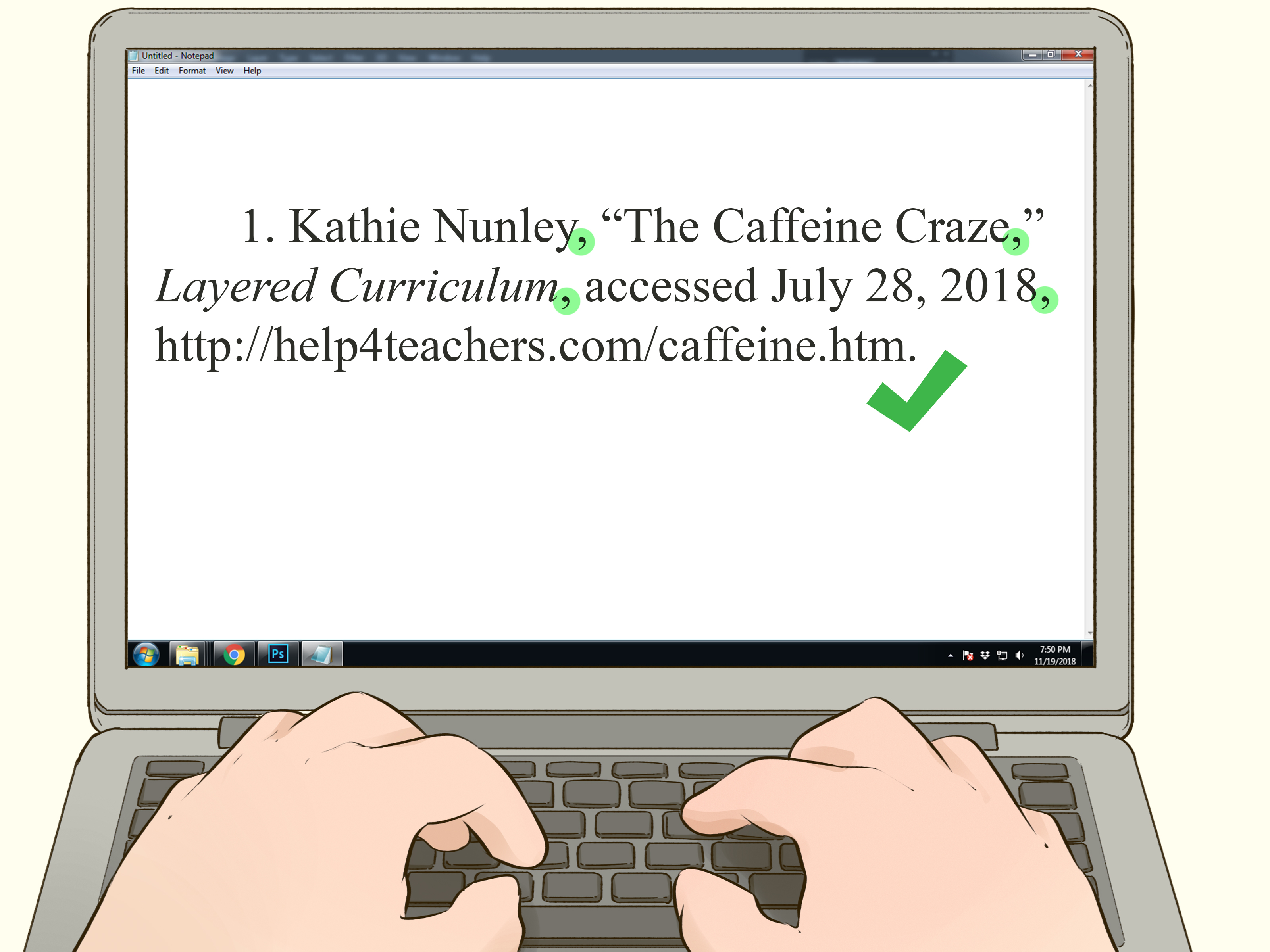
- 1. First Name Last Name, “Title of Article,” Website Name, Month Day, Year, URL.
Bibliography Template:
- Last Name, First Name. “Title of Article.” Website Name. Month Day, Year. URL.
Chicago Example (Note + Bibliography)
-
Note (first full note): 1. Jordan Lee, “Cities Redesign Streets for Heat Safety,”
Daily Metro, July 8, 2025, https://example.com/heat-safe-streets. - Shortened note (later): 2. Lee, “Cities Redesign Streets.”
-
Bibliography: Lee, Jordan. “Cities Redesign Streets for Heat Safety.” Daily Metro.
July 8, 2025. https://example.com/heat-safe-streets.
Chicago When Dates Are Messy
If an online page doesn’t clearly list a publication date, Chicago commonly allows an access date
(or “last modified” date if provided). The goal is clarity: tell readers what you used and when you used it.
Way #4: Cite an Online Article in IEEE
IEEE style is widely used in engineering, computer science, and technical fields. It’s a numbered system:
in-text citations appear as bracketed numbers like [1], and the full details live in a numbered
reference list in the order you cite them.
IEEE Reference Format (Web-Based Article)
Template:
- [#] A. A. Author, “Title of page,” Website Name. Accessed: Mon. Day, Year. [Online]. Available: URL
IEEE In-Text Citation
You cite by number: …as shown in [1]. If you cite the same source again, you reuse the same number.
IEEE Example
- In-text: Street redesign can reduce heat exposure in dense neighborhoods [1].
-
Reference list: [1] J. Lee, “Cities redesign streets for heat safety,” Daily Metro.
Accessed: Jan. 1, 2026. [Online]. Available: https://example.com/heat-safe-streets
What If the Online Article Is Weird? (Spoiler: It Will Be)
Online articles love to show up with missing details like a cat bringing you a “gift” and acting proud about it.
Here are the most common hiccups and how to handle them in any citation style:
No Author Listed
If there’s no named author, use the organization as the author (if appropriate). If neither exists, start with the
title. Don’t invent an author. The citation gods (and your teacher/editor) can tell.
No Publication Date
Look for “last updated” or “posted” near the headline, at the top, or at the bottom of the article. If there’s
truly no date:
- APA: Use (n.d.).
- MLA/Chicago/IEEE: Consider adding an access date to show when you viewed it.
The URL Is a Monster
Some URLs are basically keyboard-smash novels. When possible, use a stable link (a “share” link, permalink,
or the canonical URL). Avoid links that are obviously session-based or loaded with tracking parameters.
The Article Has a DOI
If your online article is academic and includes a DOI, use it. DOIs are designed to be stable even if the
webpage changes location. Many styles prefer a DOI over a standard URL when available.
Make Citations Easier Without Losing Your Mind
Citation tools can help, but they’re not magical. (If they were, they’d also fold your laundry and answer emails,
and we’d all be thriving.) Try these strategies:
- Use a citation manager: Zotero, Mendeley, or EndNote can store sources and format references.
- Try built-in tools: Google Docs and Microsoft Word support citations, but you still need to proofread.
- Always spot-check: Automatic citations often mess up capitalization, missing dates, or website names.
- Save a screenshot or PDF: If the article is likely to change, keep a record of what you read.
Quick Comparison: Which Citation Style Should You Use?
If you’re staring at a blank page wondering whether you’re “more of an APA person” today, here’s a simple guide:
- APA: Social sciences, education, business, psychologydate-focused, author-year in-text.
- MLA: Humanitiesauthor-focused, Works Cited, flexible about access dates.
- Chicago: History/publishingoften footnotes + bibliography (or author-date for some fields).
- IEEE: Engineering/CSnumbered citations, ordered reference list, compact and technical.
Conclusion: Cite Like You Mean It
Citing an online article doesn’t have to feel like assembling furniture with only an Allen wrench and despair.
Pick the style you need (APA, MLA, Chicago, or IEEE), collect the key details, and follow the format carefully.
The payoff is huge: your work looks trustworthy, your readers can verify your claims, and you’ll spend way less
time later trying to remember where that “incredible statistic” came from.
And if you take nothing else from this guide, remember: the internet is forever… except for the exact webpage you
cited last week, which has mysteriously vanished into the void. That’s why good citations (and sometimes access
dates) matter.
Real-World Citation Experiences (The Stuff Guides Don’t Warn You About)
Most people don’t struggle with citations because they hate rules (okay, sometimes). They struggle because online
articles behave like shape-shifters. Here are real-world situations people commonly run intoand how to handle them
without melting into your keyboard.
1) The “No Author, No Problem” Problem
Someone finds a fantastic article on a big website… and there’s no author name anywhere. Just a logo and vibes.
In this situation, many writers use the organization as the author (if the content is clearly produced by that
organization). If it’s truly anonymous, start with the title. The key is consistency: don’t invent a person, and
don’t panic-cite “Admin” unless that’s genuinely the credited author (it usually isn’t).
2) The “Last Updated 14 Minutes Ago” Surprise
News sites and high-traffic blogs update articles constantlysometimes to correct facts, sometimes to add details,
sometimes to change a headline because a different headline performs better on social media. If you’re citing
something that changes, it’s smart to note the date you accessed it and, if possible, save a copy (PDF or screenshot).
This is especially helpful for school assignments, research reports, or anything where someone might ask,
“Waitwhere did you see that?”
3) The Paywall Maze
A common scenario: an online article is accessible through a subscription, a library database, or an app. People
often paste a database link that won’t work for anyone else. A better approach is to cite the article using its
normal publication details (author, date, title, publication name) and include a stable URL or DOI when available.
If you can only access it via a database, you still want the citation to point to the official publication identity,
not a temporary login tunnel.
4) The “URL That Looks Like a Wi-Fi Password”
Some URLs are so long they could qualify as a short story. Writers often clean these up by removing obvious tracking
parameters (the parts that start with things like “utm_”). When in doubt, look for a “Share” button, a “Copy link,”
or the canonical URL. A readable link won’t just help your audienceit’ll help you avoid typos that turn your citation
into a broken doorbell.
5) The Accidental “Citation Generator Did Me Dirty” Moment
Citation generators are helpful, but people regularly discover they’ve been betrayed by a misplaced comma, incorrect
capitalization, missing access date, or a website name that got confused with the article title. The best practice is
to treat generators like a helpful assistant, not a final judge. Always proofread: check the author, the date, the title
formatting, and whether the style rules (like sentence case in APA) were applied correctly.
6) The “How Many Styles Can One Human Learn?” Feeling
In the real world, students and professionals often switch between styles depending on the class, the job, or the
publication. One week it’s MLA. Next week it’s APA. Then a supervisor asks for Chicago footnotes “because it looks fancy.”
The easiest way to survive is to keep a tiny personal cheat sheet: one example citation you know is correct for each
style. When you need to cite a new online article, you copy the pattern and swap in the new details. It’s not glamorous,
but it worksand it saves you from reinventing citation rules at 1:00 a.m.