

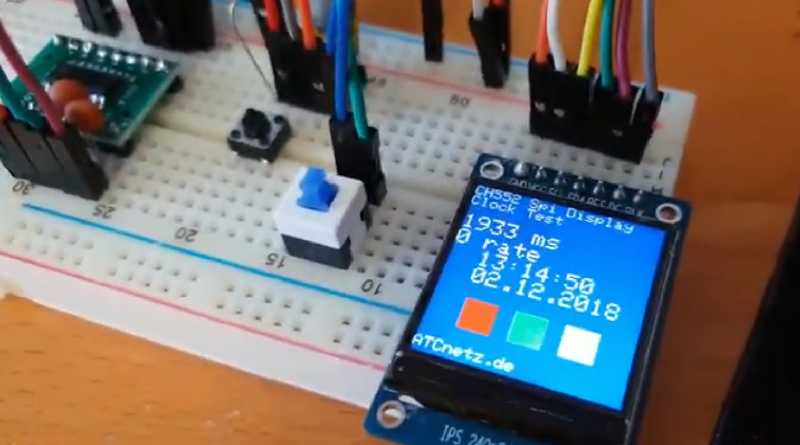
Programming a really cheap microcontroller sounds like the kind of thing that should require a secret laboratory, a soldering iron shaped like a dragon, and at least three engineering degrees. Good news: it does not. Today, you can buy a tiny board for the price of a fancy coffee, plug it into a laptop, and make an LED blink before the coffee gets cold. That little blink is not just a beginner exercise. It is the “hello, world” of embedded systemsthe first handshake between your code and the physical universe.
A microcontroller is a small computer built to control hardware. Unlike a laptop or phone, it usually does not run a full operating system. Instead, it reads sensors, controls motors, flashes LEDs, logs data, opens garage doors, waters plants, monitors temperature, or quietly does one job forever without complaining. Cheap microcontrollers such as Arduino-compatible boards, Raspberry Pi Pico boards, ESP32 modules, ATtiny chips, STM32 boards, and CircuitPython-friendly boards have made embedded programming wildly accessible.
This guide explains how to program a low-cost microcontroller without getting lost in jargon. We will cover choosing a board, setting up software, writing your first program, uploading code, troubleshooting common problems, and growing from beginner experiments into practical projects. No magic wand requiredthough a decent USB cable helps more than you might expect.
What Makes a Microcontroller “Really Cheap”?
A really cheap microcontroller is not necessarily a bad microcontroller. In fact, many low-cost boards are excellent learning platforms. The low price usually comes from simple design, mass production, open-source ecosystems, and the fact that the board is built for focused tasks rather than general computing.
For beginners, the best cheap microcontroller is usually a development board, not a bare chip. A bare chip may cost less, but it often needs a programmer, voltage regulation, clock circuitry, breadboard wiring, and patience measured in geological time. A development board includes helpful extras such as USB, power regulation, reset buttons, bootloaders, and labeled pins. That means you can focus on learning code instead of wondering why nothing turns on except your anxiety.
Popular Budget-Friendly Choices
Arduino-compatible boards are popular because the Arduino IDE is beginner-friendly and has thousands of examples. Raspberry Pi Pico and Pico 2 boards are inexpensive, powerful, and great for MicroPython or C/C++. ESP32 boards add Wi-Fi and Bluetooth, making them ideal for smart home and Internet of Things projects. ATtiny microcontrollers are tiny and inexpensive for simple embedded tasks. STM32 “Blue Pill” or Nucleo-style boards offer more advanced 32-bit development for learners ready to level up.
If your goal is to learn quickly, start with a USB-ready board. If your goal is to build a final product as cheaply as possible, you can later move your code to a smaller bare chip. The beginner path and the production path do not have to be the same road.
What You Need Before You Start
You do not need a massive electronics bench. For your first project, keep the kit simple:
- A cheap microcontroller development board
- A USB data cable, not just a charging cable
- A computer running Windows, macOS, or Linux
- An editor or IDE such as Arduino IDE, Thonny, VS Code, PlatformIO, or STM32CubeIDE
- A breadboard and jumper wires
- A few LEDs and resistors
- Optional sensors, buttons, buzzers, or displays
The USB cable deserves special attention. Many beginners lose an entire afternoon because they used a cable that charges a phone but does not transfer data. If the board powers up but never appears on your computer, do not immediately blame the board, the software, the moon phase, or yourself. Try another cable first.
Pick a Programming Language
Microcontrollers can be programmed in several languages. The “best” choice depends on your board, project, and patience level.
Arduino C/C++
Arduino programming uses a simplified C/C++ style. It is probably the most common beginner route. You write two main functions: setup(), which runs once, and loop(), which runs repeatedly. This structure is easy to understand because microcontrollers usually perform the same job again and again: read a sensor, decide what to do, update an output, repeat.
MicroPython
MicroPython is a lean version of Python designed for microcontrollers and constrained devices. It is excellent for beginners because code is readable, testing is fast, and many boards allow interactive commands through a REPL. Raspberry Pi Pico boards are especially friendly for MicroPython.
CircuitPython
CircuitPython, closely related to MicroPython, focuses on making hardware experimentation easier. On many compatible boards, the device appears like a USB drive. You edit a file named code.py, save it, and the board runs it. That feels almost suspiciously convenient, like the board is trying to be nice.
Professional C, PlatformIO, and Vendor Tools
As you advance, you may use PlatformIO, ESP-IDF, Microchip Studio, MPLAB X, STM32CubeIDE, or vendor-specific SDKs. These tools give more control over memory, build settings, debugging, peripherals, and optimization. They can look intimidating at first, but they become valuable when projects grow beyond blinking LEDs and reading buttons.
Your First Program: Blink an LED
The classic first microcontroller project is blinking an LED. It is simple, visible, and surprisingly satisfying. You upload code, the board responds, and suddenly you are not just writing softwareyou are bossing electrons around.
Arduino-Style Blink Example
This program tells the built-in LED pin to act as an output. Then it turns the LED on for one second, turns it off for one second, and repeats forever. The delay is measured in milliseconds, so 1000 equals one second.
MicroPython Blink Example
On boards that support the "LED" pin name, this MicroPython code toggles the onboard LED once per second. Some boards use different pin names, so always check your board’s documentation. Microcontroller programming often teaches humility through pin labels.
How to Upload Code to a Cheap Microcontroller
The upload process depends on the board and programming environment, but the general pattern is similar.
- Install the correct IDE or editor.
- Connect the board with a USB data cable.
- Select the correct board model.
- Select the correct serial port.
- Write or open example code.
- Compile or verify the code.
- Upload or save the program to the board.
- Watch the board run your code.
For Arduino-style boards, you usually select the board and port in the Arduino IDE, then click Upload. For Raspberry Pi Pico with MicroPython, you may hold the BOOTSEL button while plugging in the board, copy firmware to the mounted drive, then use Thonny or another editor to run Python code. For ESP32, you may need to install board support in the Arduino IDE or use ESP-IDF for more advanced development. For STM32, you may use STM32CubeIDE or PlatformIO depending on your comfort level.
Understanding Pins, GPIO, and Voltage
GPIO stands for General Purpose Input/Output. These are the pins your microcontroller uses to interact with the world. A GPIO pin can often be configured as an input to read a button or sensor, or as an output to control an LED, relay module, motor driver, or display.
Voltage matters. Some boards use 5 volts for logic, while many modern boards use 3.3 volts. Connecting a 5V signal directly to a 3.3V-only pin can damage the board. That is not a “fun learning moment.” That is the smell of tuition. Always check the voltage requirements of your board and components before connecting them.
Inputs and Outputs in Plain English
An output pin is like a tiny switch controlled by code. It can set a pin HIGH or LOW. An input pin is like a tiny question. It asks, “Is this pin seeing a high voltage or a low voltage?” Sensors provide more interesting answers, such as temperature, light level, motion, distance, or pressure.
Some pins support special features. PWM pins can simulate analog-like output by switching rapidly on and off. ADC pins can read analog voltage levels. I2C and SPI pins communicate with displays, sensors, memory chips, and other modules. UART pins handle serial communication. At first, learn digital input and output. Then add one new feature at a time.
Cheap Does Not Mean Careless: Basic Safety and Reliability
Low-cost boards are forgiving, but they are not indestructible. Use current-limiting resistors with LEDs. Do not power motors directly from GPIO pins. Do not connect unknown voltages to input pins. Avoid short circuits. When in doubt, disconnect power and inspect your wiring before uploading again.
For battery-powered projects, pay attention to sleep modes, power regulators, and unnecessary LEDs on development boards. A board that works beautifully from USB may drain a battery quickly if you do not design for low power. The cheap board is only cheap until it starts eating batteries like popcorn.
Common Beginner Problems and How to Fix Them
The Computer Does Not See the Board
Try a different USB cable first. Then check whether drivers are required, especially for boards using USB-to-serial chips such as CH340 or CP210x. Try a different USB port. If the board has a boot button, follow the manufacturer’s bootloader instructions.
The Code Uploads, But Nothing Happens
Confirm the correct board and port are selected. Check whether the onboard LED uses a different pin. Some boards do not define LED_BUILTIN the same way. If using an external LED, confirm the LED orientation and resistor placement.
The Sensor Gives Weird Values
Check power, ground, and signal wiring. Many sensor problems come from missing a shared ground between modules. Also confirm whether the sensor communicates using analog, I2C, SPI, or UART. A sensor will not politely switch protocols just because we are tired.
The Board Keeps Resetting
Power may be unstable. Motors, servos, Wi-Fi transmissions, and displays can draw more current than a USB port or small regulator can comfortably provide. Use a proper power supply and separate noisy loads from the microcontroller when needed.
Best Cheap Microcontroller Projects for Beginners
Once you can blink an LED, the next step is to make the board respond to the world. Good beginner projects include a button-controlled LED, a night light using a photoresistor, a temperature display, a soil moisture monitor, a small alarm buzzer, a motion-triggered light, or a simple Wi-Fi sensor with an ESP32.
Do not start with a robot dog that recognizes faces, makes espresso, and files taxes. Start with one input and one output. Then combine small wins. A big embedded project is usually just many tiny projects wearing a trench coat.
How to Choose the Right Cheap Board for Your Project
Choose an Arduino-compatible board if you want the largest beginner ecosystem and simple examples. Choose Raspberry Pi Pico or Pico 2 if you want strong value, MicroPython support, and good performance. Choose ESP32 if your project needs Wi-Fi, Bluetooth, or web connectivity. Choose ATtiny if you need something very small for a simple final design. Choose STM32 if you want to learn deeper embedded development and professional-style tools.
Also consider community support. A board with hundreds of tutorials is often better for beginners than a slightly cheaper board with mysterious documentation. Saving two dollars is not worth spending three weekends decoding a blurry pinout image from 2016.
How to Grow From Beginner to Confident Maker
After the first few projects, learn how to read datasheets. Datasheets look scary, but they are simply instruction manuals written by people who believe coffee should be measured in liters. Start with the pinout, voltage ratings, memory size, clock speed, and peripheral list. You do not need to understand every register on day one.
Next, learn serial debugging. Printing messages to the serial monitor helps you understand what your code is doing. Then learn non-blocking timing using millis() or equivalent techniques instead of relying on long delays. This allows your program to do multiple things at once, such as blink an LED while checking a button and reading a sensor.
Eventually, explore libraries, interrupts, timers, power management, communication protocols, and state machines. These concepts turn a beginner sketch into reliable embedded software. They also make you sound very impressive at parties, assuming you attend parties where people discuss interrupt service routines.
Real-World Experience: Lessons From Programming Cheap Microcontrollers
One of the biggest lessons from working with really cheap microcontrollers is that the board is rarely the only problem. The code may be fine, the board may be fine, and the real villain may be a loose jumper wire pretending to be connected. Breadboards are useful, but they can also create invisible little mysteries. If a project behaves randomly, gently press the wires, inspect the rails, and rebuild the circuit from scratch. Rebuilding often fixes what staring cannot.
Another practical lesson is to save working versions of your code. Beginners often get a project working, then add “just one more feature,” and suddenly everything breaks like a sitcom dinner party. Before adding a sensor, display, button, or Wi-Fi feature, save a copy. Name it clearly, such as temperature_display_working_v1. Future you will send past you a thank-you card.
Cheap microcontrollers also teach you to respect power. A small board blinking an LED is easy. Add a servo motor, Wi-Fi connection, or bright LED strip, and the power supply becomes the star of the show. Many random resets come from voltage drops, weak USB ports, or trying to power hungry components from pins that were never designed for that job. The fix is often simple: use an external power source, connect grounds together, and let the microcontroller control the load through a transistor, MOSFET, relay module, or motor driver instead of powering it directly.
Documentation is another experience multiplier. The best makers do not memorize everything; they get good at finding the right page quickly. Keep datasheets, board pinouts, library examples, and wiring diagrams organized. When you buy a cheap board, download or bookmark its pinout immediately. Many boards look nearly identical but assign pins differently. That tiny difference can turn a peaceful Saturday project into a detective novel.
It is also wise to test one part at a time. If you are building a Wi-Fi temperature logger, do not write the whole program first. Test the temperature sensor alone. Then test the Wi-Fi connection alone. Then test saving or sending data. Finally, combine them. This modular approach prevents confusion because you always know which part changed most recently.
The most enjoyable experience, however, is realizing that cheap microcontrollers make experimentation low-risk. You can build a plant monitor, a desk toy, a custom keyboard macro pad, a room temperature display, a garage sensor, or a tiny wearable prototype without spending much. Some projects will fail. Some will blink at the wrong speed. Some will work perfectly until you put them in a box and discover the reset button is now unreachable. That is all part of the process. Every mistake teaches something useful, and every successful upload feels like convincing a tiny computer to join your team.
Conclusion
Learning how to program a really cheap microcontroller is one of the most practical and rewarding ways to enter the world of embedded systems. Start with a friendly development board, choose a beginner-friendly language, blink an LED, read a button, connect a sensor, and build from there. The secret is not buying the fanciest board. The secret is making small projects, testing carefully, and learning what each wire, pin, and line of code actually does.
Cheap microcontrollers are tiny, but they open the door to big ideas. With a few dollars, a USB cable, and a little patience, you can turn code into motion, light, sound, data, and useful gadgets. That is a pretty good dealespecially when the first victory is a blinking LED that somehow feels like a standing ovation.
Note: This article is written for web publication in standard American English. It is original, SEO-optimized, and based on real microcontroller programming practices without inserting source links into the article body.