

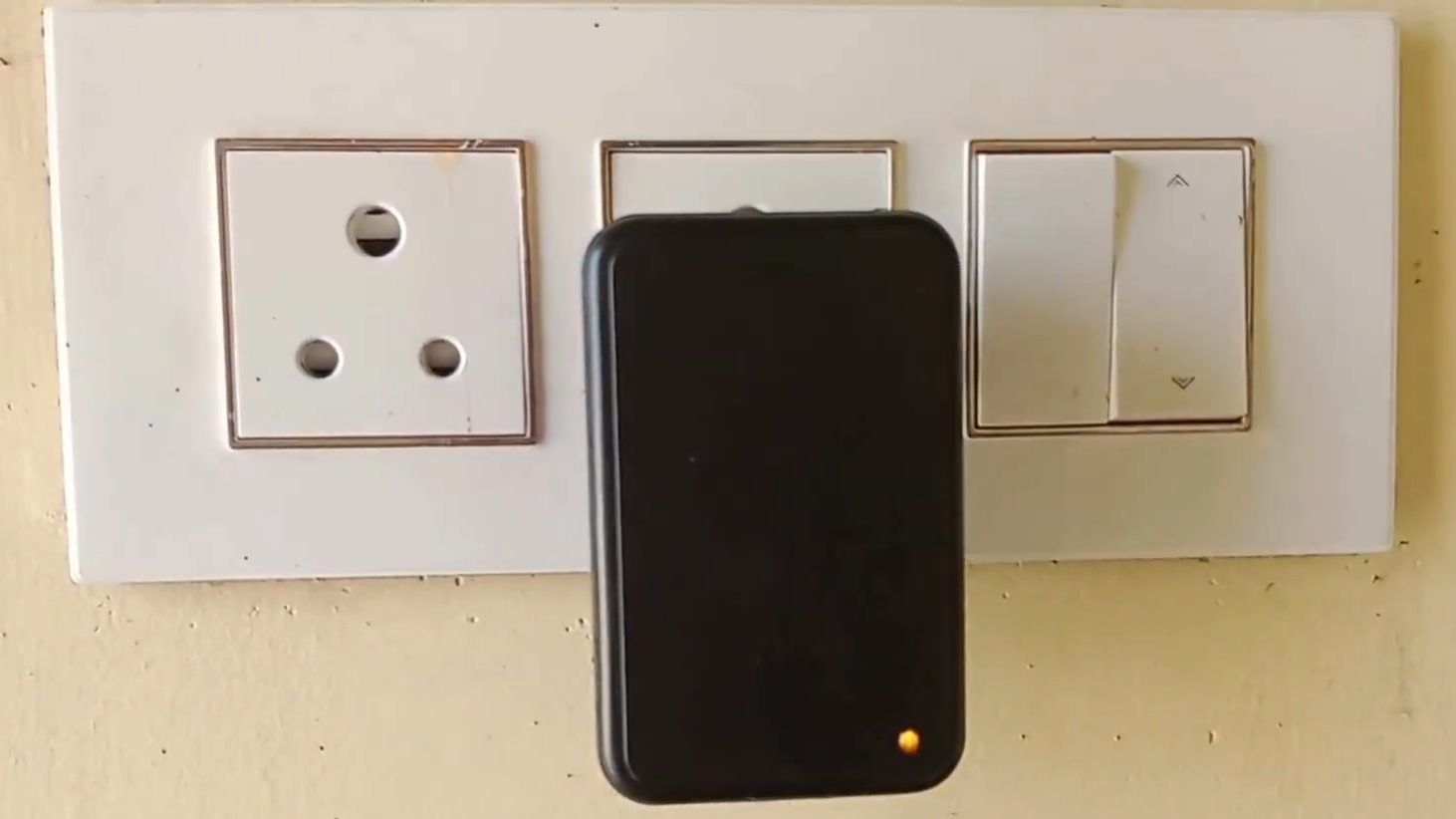
A microwave motion detector that notifies your smart phone sounds like something borrowed from a spy movie, minus the tuxedo and suspiciously dramatic hallway music. In real life, it is one of the most practical upgrades for a modern smart home, workshop, garage, office, rental property, or even a quiet back hallway where the family cat has apparently started a midnight patrol business.
Unlike basic motion sensors that only react when something warm moves across their field of view, microwave motion detectors use radar-style sensing. They send out high-frequency radio waves, read the reflections that bounce back, and identify movement based on changes in those reflections. When connected to a smart home hub, Wi-Fi bridge, security panel, or automation platform, that motion event can trigger a push notification on your phone within seconds.
The result is simple: when motion happens, you know. Whether that motion is a delivery person, a family member coming home, a pet with suspicious hallway energy, or something you definitely did not invite, your phone becomes the control center.
What Is a Microwave Motion Detector?
A microwave motion detector is a sensor that detects movement by transmitting microwave or millimeter-wave signals and analyzing how those signals reflect off objects. If a person, animal, vehicle, or moving object changes the reflected signal, the detector registers motion.
In smart home language, you may also see related terms such as radar motion sensor, mmWave presence sensor, microwave occupancy sensor, or dual-technology motion detector. These names are not always identical, but they live in the same neighborhood. The important idea is that the sensor is not “watching” with a camera. It is sensing movement or presence through reflected radio waves.
Microwave vs. PIR Motion Detection
Most traditional home motion sensors use PIR, short for passive infrared. PIR sensors detect changes in infrared energy, which usually means heat movement from people, pets, or warm objects. They are affordable, low-power, and common in alarm systems.
Microwave detectors work differently. They actively send out a signal and measure changes in the returned signal. This can make them more sensitive to small motion, and in some cases, better at detecting presence when a person is not moving much. That is why modern mmWave sensors are becoming popular for smart lighting, room occupancy, energy savings, and phone alerts.
However, higher sensitivity is a blessing and a tiny prankster. A microwave motion detector may detect movement through certain thin materials or react to fans, curtains, garage doors, or vibration if it is not placed and tuned correctly. The best setup balances range, sensitivity, delay time, and notification rules.
How a Microwave Motion Detector Sends Alerts to Your Phone
The notification process is not magic, although it can feel like magic when your phone buzzes before the dog has finished barking. A smart microwave motion detector usually follows a chain like this:
- The detector senses movement or presence.
- The sensor sends a signal through Wi-Fi, Zigbee, Z-Wave, Thread, Matter, Bluetooth, or a wired alarm connection.
- A smart hub, app, cloud service, or home automation platform receives the event.
- An automation rule decides what should happen next.
- Your smart phone receives a push notification, text-style alert, app message, or security notification.
In a simple setup, the app might say, “Motion detected in garage.” In a more advanced setup, the notification could include the room name, time, camera snapshot, alarm status, or action buttons such as “Turn on lights,” “Ignore,” or “Sound siren.”
Common Ways to Connect the Sensor
Wi-Fi sensors connect directly to your router and usually work with a manufacturer’s app. They are easy to install, but they can use more battery power than low-energy protocols.
Zigbee and Z-Wave sensors usually require a hub. They are common in security and smart home systems because they are reliable, low-power, and designed for device-to-device networks.
Thread and Matter-compatible devices are part of the newer smart home world. Matter focuses on easier compatibility across ecosystems, while Thread offers low-power mesh networking for supported devices.
Home Assistant setups are popular with advanced users because they allow detailed local automations, custom notifications, and complex rules. For example, you can create one alert for “motion while nobody is home” and a different rule for “presence detected in office after 10 p.m.”
Why Use a Microwave Motion Detector for Phone Notifications?
The biggest benefit is awareness. A phone notification lets you know what is happening at home, in your office, or around a protected area without constantly checking an app. It is like having a tiny digital doorman, except it never asks for lunch breaks.
1. Better Detection of Subtle Movement
Microwave and mmWave sensors can detect small movements that some PIR sensors may miss. This is useful in rooms where people sit still, such as home offices, reading rooms, bedrooms, or TV rooms. A PIR sensor might think the room is empty when someone is quietly typing. A well-tuned radar sensor may continue detecting presence.
2. Smart Security Alerts
A microwave motion detector can notify your smart phone when movement occurs in a garage, driveway, storage room, hallway, basement, or entryway. If connected to a broader security system, it can also trigger cameras, lights, sirens, or monitoring events.
3. Automation Without Cameras
Not every space needs a camera. In fact, many people prefer camera-free sensing indoors for privacy. A microwave motion detector can tell your system that someone is present without recording video. That makes it useful for bathrooms, bedrooms, offices, or shared living spaces where cameras would feel uncomfortable.
4. Energy Savings
Motion and presence sensors can control lighting, fans, thermostats, and appliances. If no one is in the room, lights can turn off automatically. If someone enters, lights can turn on. Your phone notification may simply be one part of a larger automation routine.
5. Faster Response When You Are Away
A smart phone alert gives you a chance to respond quickly. You can check a connected camera, call a neighbor, open a smart lock for a trusted visitor, or simply decide that the “intruder” is actually your robot vacuum having another emotional journey under the sofa.
Best Places to Install a Microwave Motion Detector
Placement matters more than most people think. A great sensor in a bad location becomes a professional false-alarm machine. A good location gives you useful alerts without making your phone vibrate like it joined a marching band.
Entryways and Hallways
Place the detector where people naturally pass through. Hallways and entryways are excellent because movement is predictable. You can set alerts for specific times, such as overnight or when everyone is away.
Garages and Workshops
Garages are popular locations for microwave motion detectors because they often contain valuable tools, bikes, vehicles, and storage. Just be careful with garage doors, hanging objects, fans, and reflective metal surfaces, which may affect detection.
Driveways and Covered Outdoor Areas
Some microwave motion detectors are designed for outdoor or semi-outdoor use, but not all of them are weatherproof. For outdoor installations, check the device rating, temperature range, mounting instructions, and whether it is intended for exterior environments.
Living Rooms and Home Offices
Presence detection is especially helpful in rooms where people sit still. For example, a smart office can keep lights on while you work, then turn them off after the room is empty. Your phone can receive alerts only when motion happens outside normal hours.
How to Reduce False Alerts
False alerts are the main reason people give up on motion notifications. Fortunately, most problems can be fixed with better placement and smarter rules.
Adjust Sensitivity
Many microwave and mmWave sensors allow sensitivity adjustment. Start lower than you think you need, test the sensor, then increase gradually. Maximum sensitivity sounds impressive until your curtains become the most active “person” in the house.
Use Time-Based Rules
You may not need alerts all day. Set notifications for specific time windows, such as 11 p.m. to 6 a.m., or only when your phone location shows that you are away from home.
Combine Sensors
Dual-technology sensors combine microwave and PIR detection. In some security systems, an alert triggers only when both technologies confirm motion. This can reduce false alarms from heat changes, moving curtains, or small environmental movement.
Create Zones
Some advanced mmWave sensors support detection zones. You can ignore areas near fans, windows, pets, or busy walkways. This is especially useful in open rooms.
Check Wi-Fi and Hub Reliability
Sometimes the sensor is not the problem. Weak Wi-Fi, a poorly placed hub, low battery, outdated firmware, or disabled phone notifications can break the alert chain. If notifications stop, check the app permissions, automation status, device battery, router, and hub connection.
Privacy and Security Considerations
A microwave motion detector may not record video, but it is still a connected device. That means privacy and cybersecurity matter. Any smart home device that sends notifications to your phone is part of your digital home, and your digital home deserves more protection than the password “password123,” which should be sent to a museum of bad decisions.
Use Strong Account Protection
Choose a strong, unique password for your smart home account. Enable two-factor authentication when available. Do not reuse the same password from email, shopping, gaming, or social media accounts.
Update Firmware
Smart devices receive updates for features, bug fixes, and security patches. Keep the sensor, hub, app, and router updated. If a device no longer receives updates, consider replacing it, especially if it controls security-related functions.
Review App Permissions
Check what the app can access. Motion sensors may not need microphone, contacts, or unnecessary location access unless a feature specifically depends on it. The fewer unnecessary permissions, the better.
Consider Local Control
Some users prefer systems that work locally, such as certain Home Assistant or hub-based setups. Local control can reduce cloud dependence and may keep automations working even when the internet is down, depending on the devices involved.
Real-World Example: Garage Motion Alert
Imagine you install a microwave motion detector in your garage. You connect it to a smart hub and create this rule:
If motion is detected in the garage between 10 p.m. and 6 a.m., and nobody is marked as home, send a phone notification and turn on the garage light for five minutes.
This rule is better than a basic “notify me every time motion happens” setup. It avoids daytime spam, adds lighting for visibility, and focuses on the time window that actually matters. If you also have a camera, the notification can remind you to check the live view. If not, you still know that something moved.
Real-World Example: Smart Office Presence
In a home office, a microwave or mmWave presence sensor can do more than security. It can keep lights on while you work, pause alerts during work hours, and notify your phone if someone enters the office when you are away.
A useful automation might be:
If presence is detected in the office while the home is in away mode, send a notification: “Office motion detected.” If presence clears for 15 minutes, turn off the lights and fan.
This setup saves energy, adds awareness, and prevents the classic smart-light problem where the room goes dark because you dared to sit still and think.
Buying Tips: What to Look For
Before choosing a microwave motion detector that notifies your smart phone, check the features that matter most for your setup.
Compatibility
Make sure the sensor works with your smart home system. Look for support for Apple Home, Google Home, Amazon Alexa, SmartThings, Home Assistant, Matter, Zigbee, Z-Wave, Thread, or the manufacturer’s own app.
Detection Range
Bigger is not always better. A long range can be useful in a garage or hallway, but annoying in a small room if the sensor catches movement outside the intended area.
Power Source
Battery-powered sensors are easy to place, but batteries need replacement. Wired sensors require more installation work but can be more reliable for permanent setups.
Notification Options
Look for customizable alerts. The best systems let you choose when alerts happen, who receives them, what message appears, and whether alerts depend on home/away status.
Privacy Policy
Read the manufacturer’s privacy policy before buying. A sensor may not capture images, but the app may still collect device status, event history, account data, or location-based information.
Common Mistakes to Avoid
The first mistake is installing the sensor before planning the alert logic. A sensor is only as smart as the rule behind it. Decide what you actually want to know: movement at night, motion while away, presence in a room, or activity near a valuable area.
The second mistake is ignoring pets. Cats, dogs, and occasionally ambitious vacuum cleaners can trigger motion events. Use pet-aware settings, detection zones, or sensor placement to reduce unnecessary alerts.
The third mistake is mounting the sensor near moving air, reflective surfaces, or objects that shift easily. Fans, curtains, vents, and garage hardware can all confuse sensitive sensors.
The fourth mistake is forgetting phone settings. Even a perfect sensor cannot notify you if app notifications are disabled, Focus Mode is blocking alerts, or your phone has quietly decided to protect your peace at the exact wrong moment.
Experiences Related to “Microwave Motion Detector Notifies Your Smart Phone”
The most valuable lesson from using a microwave motion detector with smart phone notifications is that the first setup is rarely the final setup. You mount it, test it, receive a few alerts, feel proud for approximately four minutes, and then discover that your ceiling fan has been promoted to “unidentified moving object.” That does not mean the sensor is bad. It means the sensor is doing exactly what sensitive radar-style devices do: noticing movement very enthusiastically.
A good experience usually starts with a simple installation. Place the detector in one important area, such as the garage, hallway, or office. Do not cover the entire house on day one unless you enjoy receiving notifications with the emotional intensity of a stock market app. Start with one sensor, learn how it behaves, and tune sensitivity before expanding.
In a garage, the best experience often comes from combining motion alerts with lights. A phone notification alone is useful, but a motion-triggered light makes the alert more meaningful. If someone opens the garage or walks through it after dark, the light turns on automatically and your phone receives a message. This setup is practical because it supports both convenience and security.
In a home office, the experience is different. The goal may not be security at all. Instead, the sensor helps the room understand whether someone is actually present. A PIR sensor might turn off the lights if you sit still during a long writing session. A microwave or mmWave presence sensor can be better at noticing small motion, which keeps the room comfortable. The phone notification can be limited to unusual times, such as motion after midnight or when the home is set to away mode.
Another useful experience is learning that notifications should be rare enough to matter. If every tiny movement sends an alert, you will eventually ignore the alerts. Smart notifications need conditions. For example, “send only when nobody is home,” “send only at night,” or “send only if motion continues for more than 20 seconds.” These small rules turn a noisy gadget into a helpful security tool.
Families may also need different notification styles. One person might want every alert. Another person may only want urgent alerts. A good smart home system lets you send different notifications to different phones. For example, garage motion can notify adults, while pantry motion does not need to become breaking news unless someone is investigating the cookies.
The biggest surprise is how quickly a sensor changes your awareness of a space. You stop wondering whether the garage was opened, whether someone entered the office, or whether movement happened near a side entrance. The phone alert gives you a timestamped signal. It does not replace common sense, locks, lighting, or a full security plan, but it adds a useful layer.
The best experience comes from treating the microwave motion detector as part of a system, not a stand-alone miracle box. Pair it with good placement, strong Wi-Fi or hub coverage, secure accounts, thoughtful notification settings, and regular testing. When those pieces work together, your smart phone becomes more than a screen in your pocket. It becomes a real-time window into the spaces you care about.
Conclusion
A microwave motion detector that notifies your smart phone is one of the most useful smart home upgrades for security, automation, privacy-friendly sensing, and everyday convenience. It can detect motion, support presence-based routines, trigger lights, and send alerts when something happens in an important area.
The key is smart setup. Choose a compatible detector, place it carefully, adjust sensitivity, reduce false alerts, and build notification rules that match real life. When configured well, it becomes a quiet helper that watches for movement without needing a camera and tells your phone only when it actually matters.