

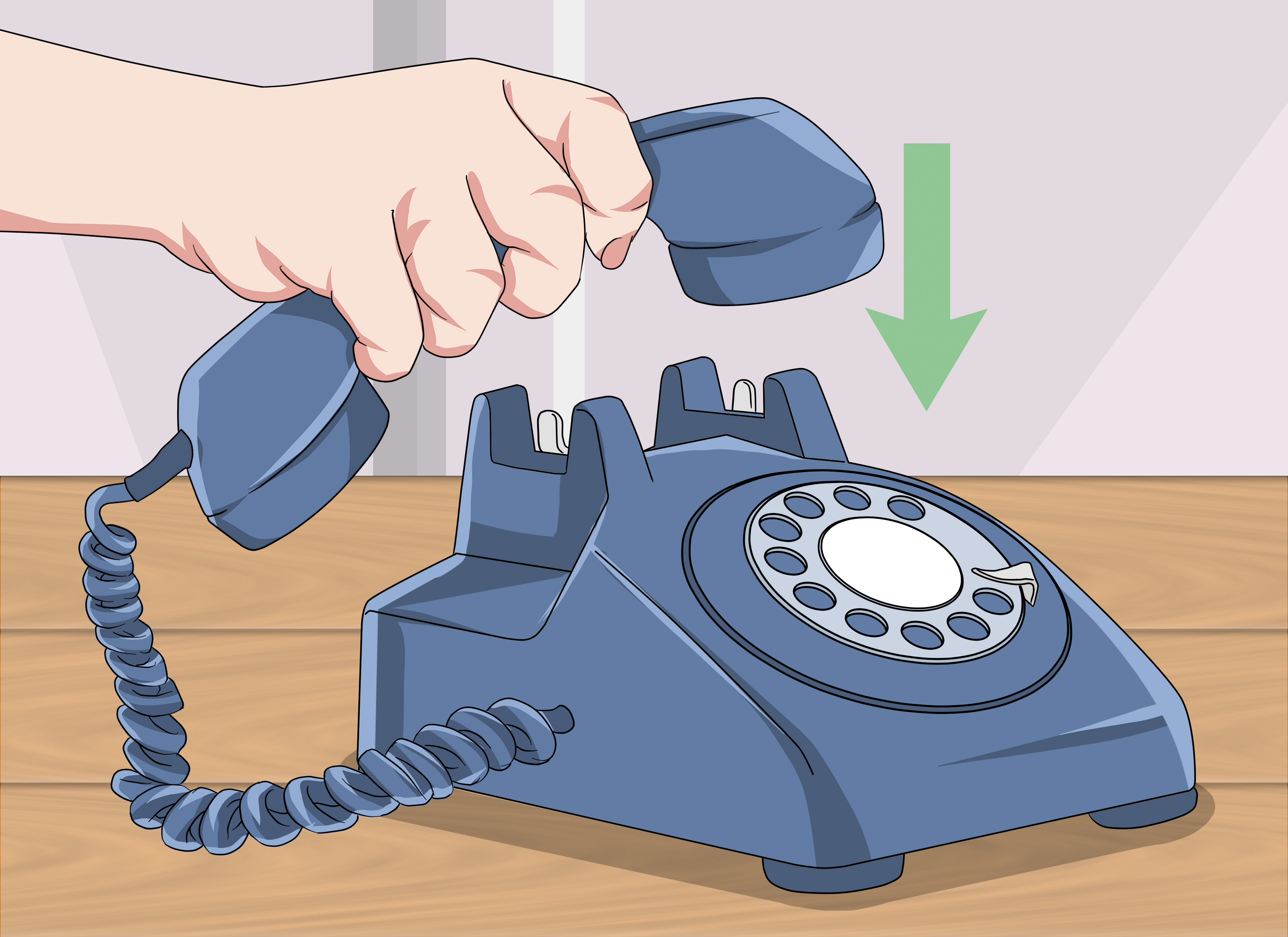
A rotary phone is beautifully simple once you understand its one nonnegotiable rule: the dial must return by itself. You do not spin it backward, help it along, or swipe it as though you are scrolling through social media. Insert a finger, rotate the dial to the metal stop, release it, and let the phone perform its tiny mechanical symphony of clicks.
Knowing how to dial a rotary phone is useful for more than winning a technology-themed trivia contest. Vintage telephones remain popular among collectors, decorators, museums, theater companies, and people who prefer a handset sturdy enough to survive both a power outage and a dramatic hang-up. However, connecting one to a modern telephone service can require extra equipment because rotary phones use pulse dialing rather than the tones generated by modern keypads.
This guide explains three practical ways to place a call: dialing normally on a pulse-compatible line, using a pulse-to-tone converter, and manually creating dial pulses with the switch hook. It also covers phone-line compatibility, old exchange names, troubleshooting, and the oddly satisfying experience of making a call one click at a time.
Understand How Rotary Phone Dialing Works
A rotary dial does not send a musical tone for each number. Instead, it briefly interrupts the electrical telephone circuit a specific number of times. Dialing 1 creates one interruption, dialing 5 creates five, and dialing 0 creates ten. The telephone exchange or connected adapter counts those interruptions and translates them into digits.
Inside the dial, a spring pulls the finger wheel back to its resting position. A mechanical governor regulates the return speed so the pulses arrive at a reasonably consistent rate, traditionally around ten pulses per second. That is why users must release the dial instead of pushing it back manually. Your finger chooses the digit; the mechanism delivers it.
Automatic switching systems eliminated the need for an operator to connect every ordinary call. Almon Brown Strowger’s early automatic exchange was installed in La Porte, Indiana, in 1892, and later improvements included the familiar rotary dial. Dial telephones reached more American offices and homes during the early twentieth century, although they were unfamiliar enough that AT&T produced instructional films showing subscribers how to operate them. Even senators reportedly needed help adjusting when dial telephones arrived at the Capitol.
Before You Dial: Check the Phone and the Line
Identify the Main Parts
Most North American rotary desk phones have the same basic controls:
- Handset: The receiver containing the earpiece and microphone.
- Cradle or switch hook: The raised buttons beneath the handset that connect or disconnect the line.
- Finger wheel: The circular plate with numbered holes.
- Finger stop: The metal or plastic barrier at the lower-right side of the dial.
- Number plate: The printed circle displaying digits and, on many phones, letters.
- Line cord: The cable connecting the phone to a wall jack, adapter, telephone modem, or analog telephone adapter.
Some vintage phones use an old four-prong plug or are permanently wired to a junction block. Those phones may need a modular adapter or a replacement line cord before they can connect to a modern RJ11-style telephone jack.
Confirm Pulse-Dialing Compatibility
A rotary phone may ring and carry a conversation even when it cannot dial out. Incoming calls and voice transmission use different functions from pulse recognition, so a phone that rings successfully has not necessarily passed the complete test.
Traditional analog copper service often recognizes pulse dialing, but compatibility cannot be assumed. Cable telephone service, fiber-based home voice, internet calling equipment, private office systems, and telephone ports on routers may accept only dual-tone multi-frequency signals, commonly called DTMF or touch-tone dialing. For example, AT&T’s published U-verse Voice terms specify the use of a touch-tone telephone and state that rotary or pulse phones will not work with that service. Other installations may behave differently depending on the provider and equipment.
Pick up the handset and listen for a steady dial tone. If you hear one, try calling a safe, familiar number. When the dial tone continues after the first digit or the call is misrouted, the service probably is not recognizing the pulses.
Way 1: Dial Normally on a Pulse-Compatible Line
This is the classic method and the one the phone was designed to use. It works when the telephone line, private exchange, or connected adapter recognizes rotary pulses directly.
Step 1: Lift the Handset
Remove the handset completely from the cradle and place the earpiece against your ear. Listen for the dial tone. Unlike a smartphone, a rotary phone goes off-hook before you enter the number. Dialing while the handset is still resting on the cradle accomplishes nothing except exercising the dial.
Step 2: Select the First Digit
Place one finger firmly into the hole beside the first digit. Use the pad of your finger rather than a fingernail, pen, chopstick, or other improvised tool. Those objects can slip, scratch the number plate, or turn an innocent phone call into a small restoration project.
Step 3: Turn the Dial to the Finger Stop
Rotate the finger wheel clockwise until your finger reaches the fixed stop. Turn it all the way. Stopping early produces fewer pulses and therefore sends the wrong number.
Step 4: Release the Dial
Remove your finger and allow the dial to return to its resting position without assistance. Do not push it backward. The regulated return motion is when the phone generates the pulses.
Step 5: Wait for the Dial to Stop
Let the wheel return completely before selecting the next digit. Starting early may combine two pulse groups or create an incomplete digit. Repeat the process until you have entered the entire phone number.
For example, to dial 312-555-0186, dial 3 and release, then 1 and release, followed by 2, 5, 5, 5, 0, 1, 8, and 6. Zero requires the longest rotation because it represents ten pulses. A number packed with zeros and nines is the rotary-phone equivalent of taking the scenic route.
Step 6: Wait for the Call to Connect
After the final digit returns to rest, listen for ringing, a busy signal, or a recorded message. There is no green call button to press. The network begins processing the number as you dial it.
When the conversation ends, place the handset securely back on the cradle. This presses down the switch hooks, disconnects the call, and prepares the telephone for the next incoming or outgoing call.
Way 2: Dial Through a Pulse-to-Tone Converter
When a modern service supplies a dial tone but ignores rotary pulses, a pulse-to-tone converter is usually the cleanest solution. The converter listens to the interruptions created by the rotary dial and produces the corresponding DTMF tones expected by newer telephone equipment.
Some analog telephone adapters, home-phone gateways, private branch exchanges, and specialty VoIP devices include pulse recognition. Others do not. Check the device documentation rather than assuming that any box with a phone jack will welcome technology from the Eisenhower administration.
Step 1: Choose Compatible Equipment
Look for a converter or analog telephone adapter that explicitly supports rotary dialing, loop-disconnect dialing, or pulse-to-DTMF conversion. A generic telephone splitter, plug adapter, or cord coupler does not translate signaling formats. It changes the physical connection only.
Step 2: Connect the Components
The usual arrangement is:
- Connect the rotary phone’s line cord to the converter’s telephone port.
- Connect the converter to the analog phone port supplied by the carrier, router, gateway, or VoIP adapter.
- Connect any required power supply.
- Lift the handset and confirm that you hear a dial tone.
Follow the converter manufacturer’s instructions because port names and programming procedures vary. Some devices work immediately, while others require pulse-rate settings, region selection, or feature codes.
Step 3: Dial Normally
Once connected, use the rotary dial exactly as described in the first method. The phone still generates pulses, but the converter changes them into tones before the call reaches the modern network. Commercial guidance for antique-phone users commonly recommends this arrangement when cable or digital phone service cannot interpret the original pulses.
Handling Star and Pound Commands
A traditional rotary phone has neither an asterisk nor a pound key. Some converters solve this by assigning special dialing sequences. For example, the user might dial an extra digit, hold the dial briefly, or enter a programmed number that the converter translates into * or #. The exact command depends on the device.
Historically, certain North American telephone features also offered rotary alternatives to star codes. FCC materials, for example, referenced 1167 as a pulse-dialing counterpart to *67 for caller-ID blocking and 1182 as an alternative to *82. Availability now depends on the service provider, so check current instructions before relying on legacy access codes.
Automated menus present another challenge. A converter that supplies DTMF tones can make it possible to select options such as “press 1 for sales.” Without conversion, a rotary phone may place the original call but remain unable to control a tone-based menu after connection.
Way 3: Create Pulses With the Switch Hook
A rotary dial is a precise mechanical pulse generator, but the telephone line responds to electrical interruptions rather than to the wheel itself. On a genuinely pulse-compatible line, it may be possible to enter digits by tapping the switch hookthe buttons normally pressed by the handset.
This method is best treated as a technical demonstration or temporary diagnostic technique. It is slower, less reliable, and easier to misdial than using the rotary mechanism.
How Manual Pulse Dialing Works
Lift the handset and listen for a dial tone. To enter a digit, press and release the switch hook rapidly the appropriate number of times:
- One tap for 1
- Two taps for 2
- Three taps for 3
- Continue through nine taps for 9
- Ten taps for 0
Keep the taps quick and evenly spaced. After completing one digit, pause briefly before beginning the next. The network must distinguish the interruptions within a digit from the longer gap separating two digits.
Do not hold the hook down too long, or the line may disconnect. Do not tap too slowly, or each interruption may be interpreted incorrectly. A mechanical dial uses a governor precisely because human fingers are not famous for laboratory-grade timing.
Use a Harmless Test Number
Practice only with a known nonemergency number, preferably another phone you control. Avoid experimenting with combinations that might reach emergency services, operator services, or other abbreviated dialing codes.
If you accidentally call 911, do not hang up. Stay on the line, explain that the call was accidental, and answer the call-taker’s questions. Hanging up may cause the emergency center to believe that assistance is needed.
How to Dial Letters and Old Exchange Names
Many American rotary phones display letters beside the digits. These were not included so users could send text messages at four clicks per minute. They helped people remember exchange names.
A number might once have been written as REgent 7-3456 or PEnnsylvania 6-5000. The first two letters represented numbers on the dial, followed by a numeric exchange digit and the subscriber number. On a typical North American dial, the pattern was:
- 2: ABC
- 3: DEF
- 4: GHI
- 5: JKL
- 6: MNO
- 7: PRS
- 8: TUV
- 9: WXY
Therefore, the letters RE correspond to 73, turning REgent 7-3456 into 737-3456. Historical telephone directories preserved by the Library of Congress contain period instructions explaining how subscribers should obtain a number, listen for the dial tone, and operate the dial.
Common Rotary Phone Problems and Solutions
The Phone Has No Dial Tone
Verify that the line cord is connected to an active telephone port. Test the same port with a known working corded phone. If neither phone receives a dial tone, the problem is probably the service, wiring, modem, or adapter rather than the rotary dial.
The Phone Receives Calls but Cannot Dial Out
This usually indicates that the service does not recognize pulse dialing. Install a pulse-to-tone converter or use an analog telephone adapter that explicitly supports pulse input.
Some Digits Work but Others Are Wrong
The dial may be returning too quickly, too slowly, or inconsistently. Old lubricant can harden, and mechanical parts can collect dust. Do not flood the dial with household oil or spray lubricant. Rotary mechanisms require careful cleaning and minimal lubrication in specific locations. A qualified antique-telephone technician is the safest choice for a valuable phone.
The Dial Sticks
Disconnect the phone before inspecting it. Check for rubbing finger-wheel parts, bent number plates, foreign objects, or obvious damage. Never force a stuck dial; a spring, gear, or governor component may already be compromised.
The Bell Does Not Ring
A classic electromechanical ringer may require more ringing voltage or current than some modern adapters provide. A service can support conversation and outgoing dialing while still failing to operate the old bell. Check whether the adapter has adequate ringing capacity and whether the phone’s ringer is enabled and correctly wired.
The Call Disconnects During Dialing
The pulse interruptions may be too long, especially when using the switch-hook method. A defective dial contact, incorrect wiring, or incompatible digital gateway can cause the service to interpret a digit as a hang-up.
Real-World Experiences With Rotary Phone Dialing
Experience 1: The First Call Feels Strangely Ceremonial
The first successful rotary call is rarely efficient, but it is memorable. You lift a handset with actual weight, hear a clean dial tone, and choose the first digit. The wheel resists slightly as it winds. Your finger reaches the stop, you release it, and the dial chatters back into place.
Then you wait. There is no screen showing the digits, no backspace button, and no helpful message asking whether you meant to call someone else. Every number becomes a small commitment. Halfway through a ten-digit call, you may begin to appreciate why people kept frequently called numbers beside the phone on a handwritten card.
New users often make the same mistake: they guide the wheel back with a finger because the uncontrolled return seems rude or mechanically reckless. In reality, that return is the phone doing its job. Once the user learns to release it cleanly, the process becomes smooth and rhythmic.
When the distant phone finally rings, the accomplishment feels slightly disproportionate. You have not crossed an ocean in a canoe; you have called the kitchen. Nevertheless, the sequence of physical actions makes the connection feel more deliberate than tapping a contact name.
Experience 2: Testing a Vintage Phone on Modern Service
A common restoration experience begins optimistically. The old phone is connected through an adapter, the handset produces a dial tone, and an incoming call makes the metal bells ring with enough authority to alert three neighboring counties. Everything appears perfect.
Then the user dials a number, and the dial tone never stops.
This is the moment when many people discover the difference between voice compatibility and dialing compatibility. The gateway can power the transmitter, receiver, and perhaps the ringer, yet remain completely unimpressed by pulse signals. Installing a pulse-to-tone converter changes the experience. The physical phone operates as before, but the adapter quietly translates each group of clicks into a modern tone.
The first converted call can seem almost magical because nothing visible changes. The dial still rotates. The bell still sounds like a small fire alarm. The handset still invites you to pace around until its cord reminds you that mobility was once measured in feet. The network, however, now understands what the antique mechanism is saying.
Experience 3: Watching Someone Use One for the First Time
Hand a rotary phone to someone raised on touchscreens and several experiments may occur. The person may press the numbers, spin the clear center disk, search for a power button, or ask where the display is. Eventually, someone discovers the finger holes.
The next surprise is that high digits take longer. Dialing 1 is quick. Dialing 9 requires a broad sweep. Zero travels nearly the full circle and returns with a long run of clicks. A telephone number containing several zeros suddenly feels personally inconsiderate.
The experience also reveals how many modern calling habits depend on editing. Smartphones allow users to enter a number, inspect it, correct it, and then place the call. A rotary phone sends each digit immediately. Make a mistake near the end and you must hang up, wait for the line to reset, and begin again. The device is not judgmental, but its silence feels suspiciously close.
Despite the inconvenience, first-time users usually enjoy the mechanical feedback. Each movement has an audible and tactile result. The phone makes its function understandable: lift to connect, rotate to signal, listen to communicate, replace the handset to disconnect. There are no hidden menus, software updates, or notifications asking whether you would like to review your dialing experience.
Conclusion
There are three useful ways to dial a rotary phone. The simplest is to connect it to a pulse-compatible analog line and operate the dial normally. When the service accepts only touch tones, add a pulse-to-tone converter or compatible analog telephone adapter. For demonstrations and careful troubleshooting on a pulse-capable line, digits can also be created manually with short switch-hook taps.
Whichever method you use, remember the essential technique: lift the handset, wait for the dial tone, rotate each digit completely to the finger stop, release the wheel, and allow it to return on its own. Confirm compatibility before depending on the phone for important calls, and treat manual pulse experiments cautiously to avoid accidental calls.
A rotary telephone will never be the fastest device in the house. That is part of its charm. It transforms dialing from an invisible software action into a sequence of springs, contacts, clicks, pauses, and patience. In return, it offers a hands-on glimpse of the engineering that connected generations of callers long before a phone needed a password, a charger, or a software update.
Research note: Historical and technical details in this guide were checked against materials from the Smithsonian, Library of Congress, National Inventors Hall of Fame, U.S. Senate, U.S. House of Representatives, Federal Communications Commission, 911.gov, AT&T, Verizon, Ooma, patent records, and specialist antique-telephone resources.